01 — Guardian Pedestrian Detection
Forklift Pedestrian Detection & Collision Prevention
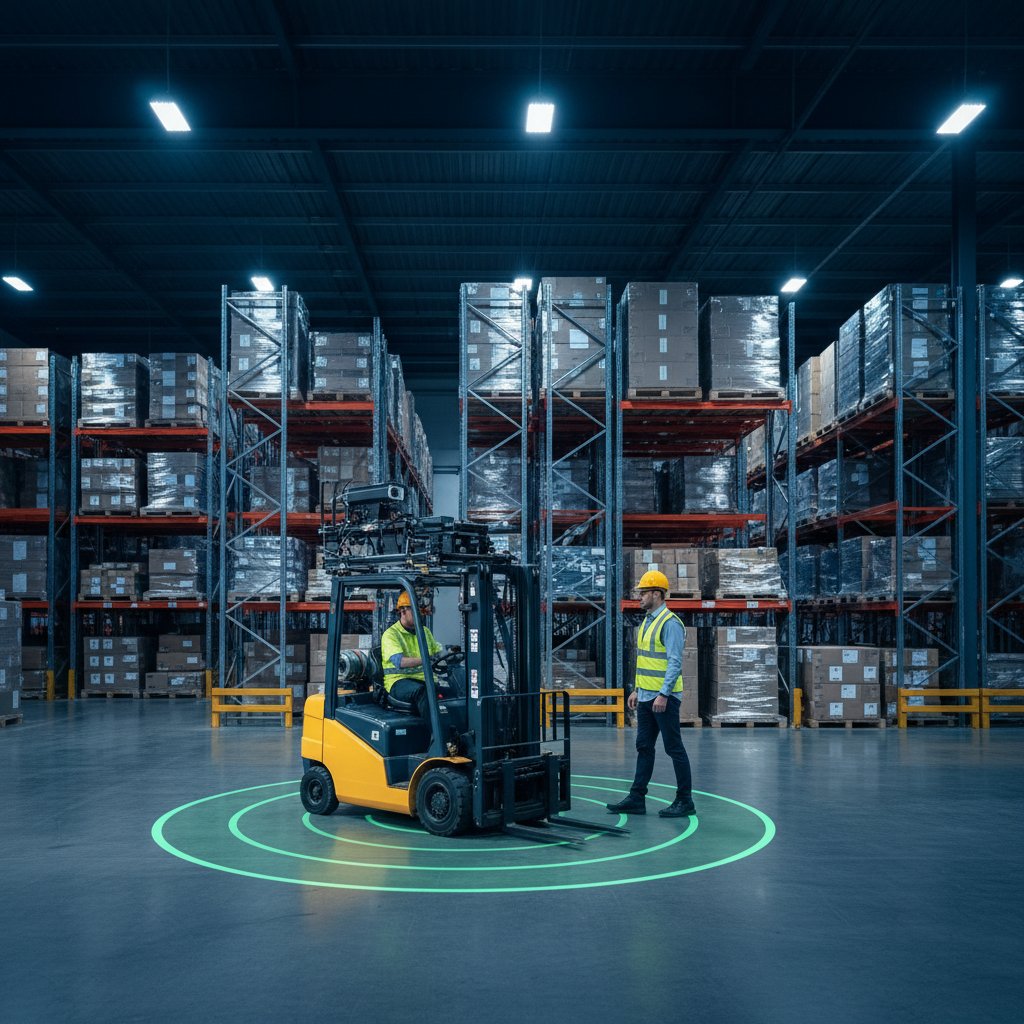
Guardian detects pedestrians around your forklifts, warns both sides, and slows the truck automatically — then drives your gates, lights, and projectors as one system. Installed and commissioned by IES on the fleet you already own.
01 — Guardian Pedestrian Detection
How Guardian Pedestrian Detection Works
Guardian is a forklift pedestrian detection system built on UWB (ultra-wideband) ranging. Each forklift carries a Guardian unit; pedestrians carry a small tag.
The system measures the distance between truck and pedestrian continuously — detection is configurable from 3 to 21 feet to match each zone — and sorts every event into two zones. In the warning zone, the operator gets audible and visual alerts and the pedestrian tag vibrates.
In the protection zone, the forklift slows automatically to a pre-configured safe speed — no operator reaction time involved. Detection is radio-based, so it works through racking and around blind corners where camera systems cannot see.
Guardian also detects truck-to-truck: two equipped forklifts converging on the same intersection both alert and both slow.
02 — Deep Dive
The Part No Box Vendor Sells: Guardian Drives Your Building
A detection box that only beeps leaves the outcome to whoever reacts fastest. Guardian is installed as infrastructure.
The same detection event that slows the forklift also lowers gate arms at the crossing, switches the pedestrian traffic light to red, fires the floor projector, and logs the event with forklift ID, zone, and timestamp for your OSHA compliance record. Detection, alert, intervention, and building response happen as one system response, in under a second.
That integration — detection wired into gates, lights, projectors, and speed zones — is the engineering IES sells: we design it, install it, commission it, and support it. Competitors ship equipment.
IES ships a working system in your building.
03 — Implementation
UWB or Camera? The Honest Answer
UWB detection needs pedestrians to carry tags, and it detects through racking with no line of sight — the right tool for blind corners, dock faces, and racked aisles. Camera-based AI detection needs nobody to wear anything, but it needs to see the pedestrian — the right tool for open yards and wide, well-lit staging areas.
Many facilities end up with both, zoned by area. IES specifies the technology per zone during the facility assessment instead of selling one answer for every building.
What never changes is the intervention layer: whichever detection a zone uses, Guardian connects it to automatic slowdown and building response, because an alert that changes nothing is just a record of the near-miss.
04 — Deep Dive
How a Guardian Install Runs
Every deployment starts with a facility traffic assessment: we walk the floor, map every forklift-pedestrian conflict zone, and document traffic volumes, sight lines, and incident history. From the map we specify zones, detection technology, and response behavior per area.
Forklift hardware installs in a few hours per vehicle and retrofits onto your existing fleet — a basic system covering 5 forklifts typically installs in about 3 days, staged around your operation. Phased rollout is normal: protect the highest-risk crossings first, then expand zone by zone on the same platform.
Equipment lead time is typically 2–3 months from order. After go-live, Guardian's event data shows which zones generate the most proximity events, so the system keeps getting tuned to your real traffic.
Frequently Asked Questions
Get Started
Ready to eliminate your blind spots?
How it works
Answer 7 quick questions about your facility and get an instant risk score with tailored recommendations.
- Evaluate your facility type, fleet size, and traffic patterns
- Instant risk score from 1–10
- Tailored engineering control recommendations
Takes about 2 minutes · No obligation